



If you are making an exchange for the first time and using the number указан в заявке for the first time, we need to confirm that it belongs to you! Verification is carried out only once. After that, you will be able to make payments from this number without repeated verification from any bank.
Verification requests are processed 24/7:
Verification processing time range:
- from 15 to 60 minutes during the day (10:00 – 22:00 UTC+3);
- from 30 to 90 minutes at night (22:00 – 10:00 UTC+3).
❗️Important payment information
Payer and details matching rule
- The payment must be made by the same person who completed account verification.
- The phone number linked to the account must match the phone number linked to the bank card or account used for payment.
If these conditions are not met:
- The payment will be automatically rejected by our security systеm (Anti-Fraud).
- The funds will be returned to the client.
- Refund period — up to 3 business days.
- Repeated violations may lead to account suspension.
Verification instructions for clients:
1. A client from Russia must provide for verification:
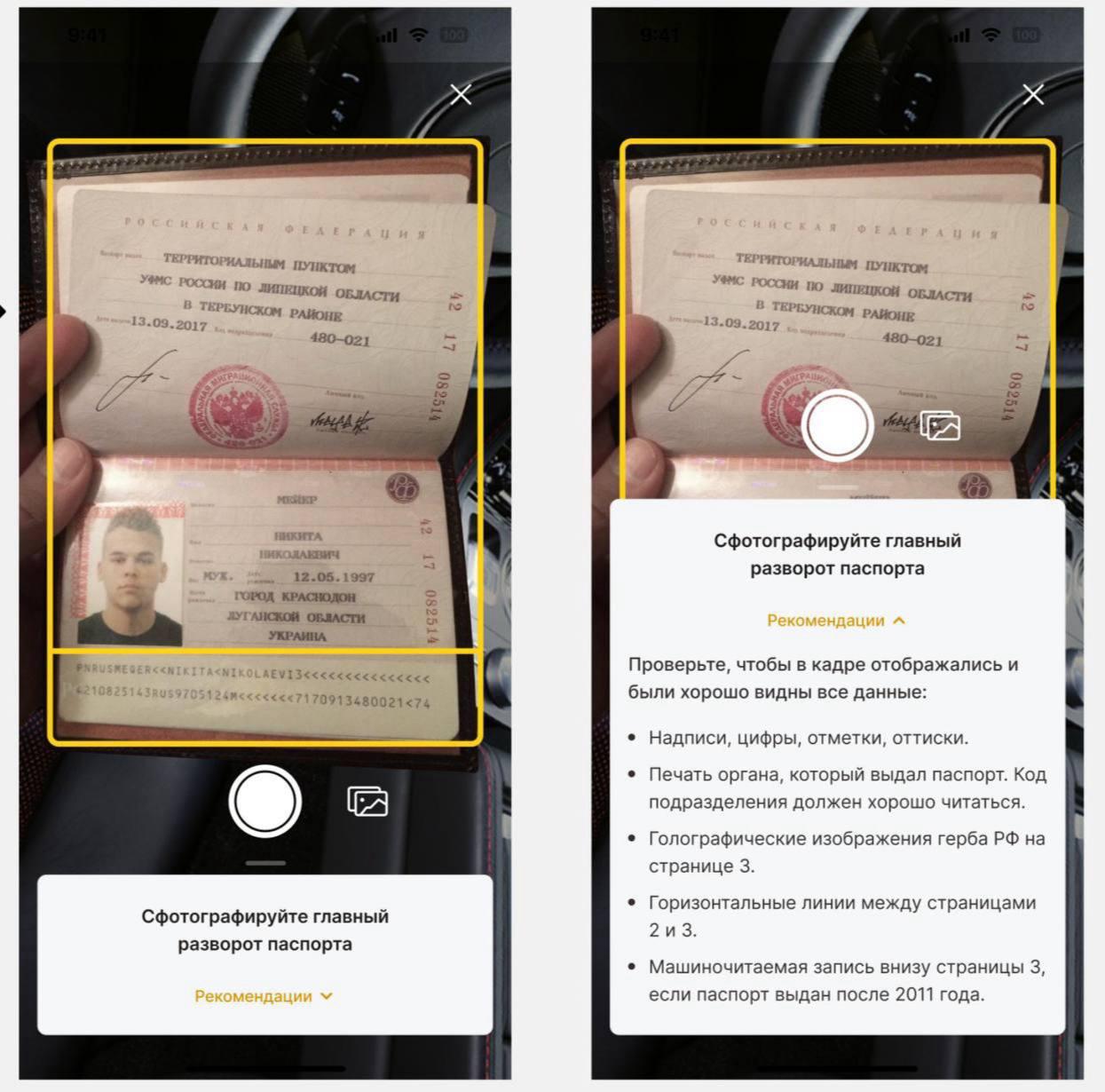
- A photo of the main passport page
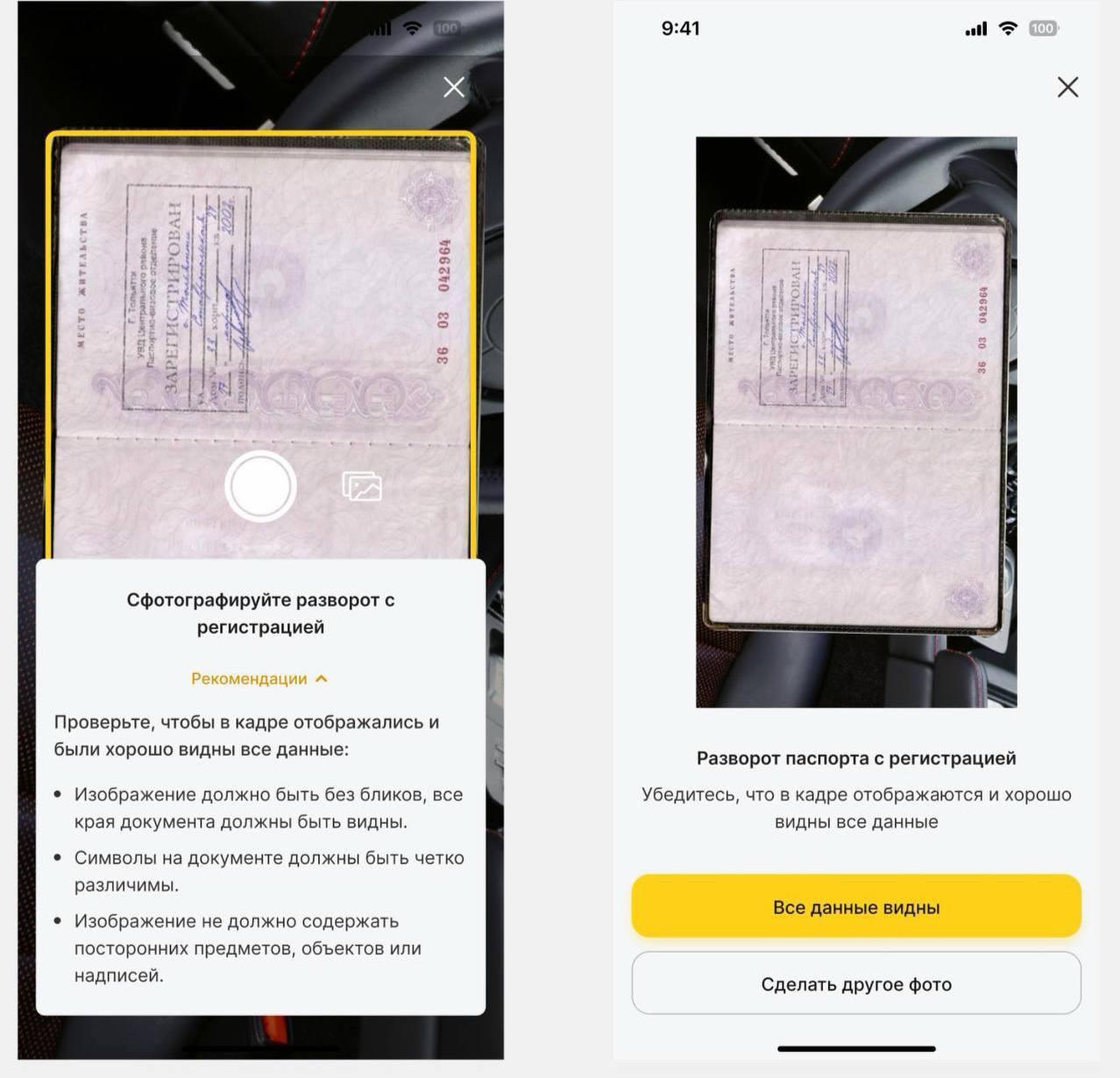
- A photo of the registration page
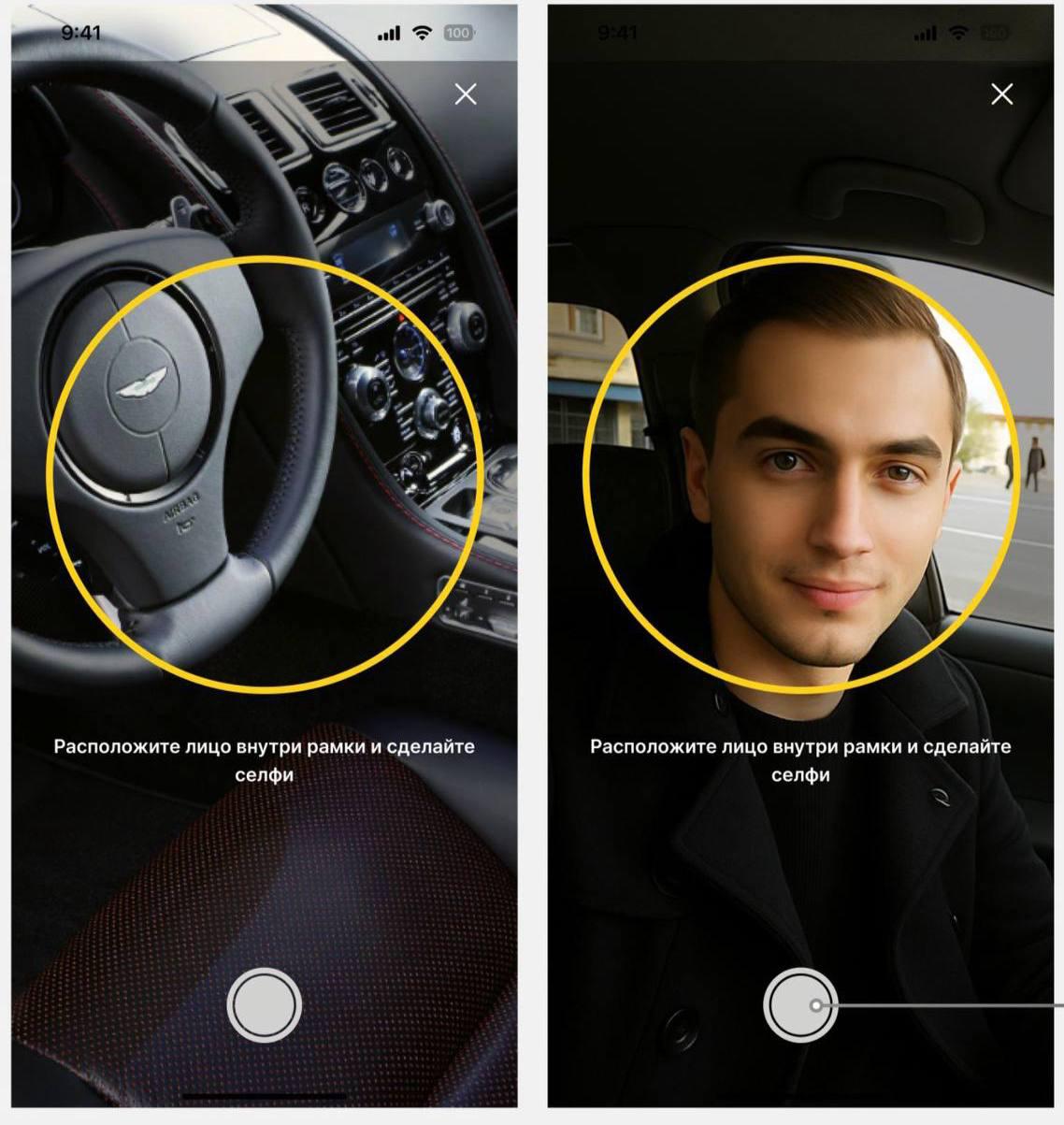
- A selfie (without the passport)
❗️The main passport page must be fully visible without glare or reflections. Military ID and driver’s license are not accepted.
2. A foreign client must provide for verification:
- A photo of the main page of the international passport
- A photo of the registration page or migration document
- A selfie (without the passport)
❗️List of countries whose citizens are allowed to pass verification as foreigners: Belarus, Kazakhstan, Kyrgyzstan, Abkhazia, South Ossetia
❗️Registration must be valid for all clients. The latest entry must not indicate deregistration, and the embossed passport series and number at the bottom must be visible. Registration may be temporary or permanent. Temporary registration must be provided as a separate document with a stamp or an electronic signature.
❌ PROHIBITED:
- Scans
- Photos of photos
- Photos of phone or monitor screens
- Expired documents
- AI-generated photos
- Photos where the passport series and number are fully or partially hidden
Examples of correct photos for verification:
Selfie example:
Example of the main passport page:
Example of the passport registration page:
Main reasons why photos do not pass KYC:
1. The face is overexposed or in shadow.
2. Eyes are not visible.
3. The person is wearing glasses with glare on the lenses.
4. The selfie is taken with the passport.
5. Low-quality, blurry photo.
6. The photo is too dark.
7. The photo is rotated.
8. The face is too far from the camera, the systеm considers it “not live”.
9. Other faces are visible in the background.
10. The face is turned, which changes proportions and prevents proper matching.
11. Passport: the year of issue cannot be clearly recognized due to stamp overlap.
12. Passport: fields are overexposed (e.g., place of birth).
13. Incorrect background — bright, cluttered, with objects (e.g., tents, shops).
14. Low similarity between the selfie and the passport photo, even visually.
15. The algorithm cannot detect a face.